How Claude Code made me an AI Believer
On this page
In 2025, I was an AI skeptic. Burnt out and mentally bogged down by AI slop, I observed what most companies in the MIT Media Lab's July 2025 GenAI report also found: few real productivity gains. When I started recovering and coding again, I gave the Zed IDE and Claude Code a try — and something shifted. The differentiating developer experience wasn't the underlying model, but the combined IDE and agent tooling. As I fell back in love with coding, I became a believer — not just for myself, but for the industry.
Two agents, two different personalities
Friends and colleagues convinced me to spend several more hours with Copilot. As a former user experience designer, my gut tells me that the products have fundamentally different approaches:
GitHub Copilot - let me implement this for you
Copilot tries to be more independent and tries to be more helpful with concise summaries and using visual cues, e.g. ----- separators and icons in the agent panel to help reduce cognitive load. For me personally, the experience left me forcing the agent for more detail and context to increase confidence in task execution.
So it actually increased my cognitive load because I needed to constantly manage it.
Claude Code - let me type this for you
In comparison, Claude Code felt more collaborative from the beginning. It outputted longer plans, which I could immediately give more detailed feedback to refine implementation details. In my daily usage I found myself giving many smaller prompts overall - in part because Claude asked. More prompts might sound like more work. But actually each one increased my confidence of potential output, which sped up development.
The Claude Code interaction reminded me of the extreme pair programming I experienced at Allianz Germany around 2017. It was a collaborative conversation with real time feedback and sparring, not monologues.
After my productivity experiment below, I realized I was pair programming… with myself. I was sparring with myself talking through my code and implementation.
I did the thinking.
I made the decisions.
Claude wrote the code.
What about Increased Productivity?
How do these different approaches affect productivity? I did an experiment and gave both agents the same prompt on the same project. The results below surprised me.
Same prompt…
I gave both coding agents the same prompt in plan mode with the same underlying Claude Sonnet 3.5 model.
Look in
schema.tsI want to refactor any occurrence ofdebtintoshare. This will include adjustments to zod schemas, the drizzle schema, incl. data migration, and potentially variable names in components. Please generate a PLAN to do this. Consider other areas where I might need to edit code.There is no change to product functionality. It is just renaming variables.
I chose this prompt because it is a straightforward 90% search and replace type of refactoring that touches multiple layers of the code project and because the changes should be the same.
Same implementation… but 2x faster with Claude Code
I was correct, the resulting code changes were the same. But I was 2x faster with Claude Code 🤯 mainly due to differences in 1) plan mode and 2) code change UIs.
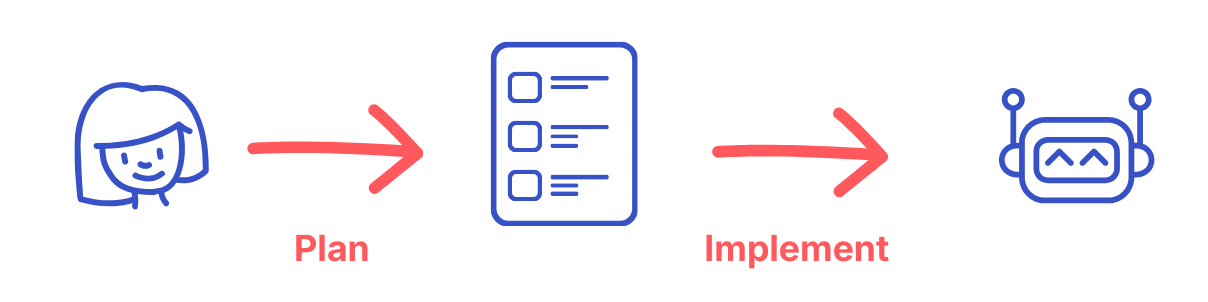
Plan Mode Differences
In both cases, I started with plan mode because the changes were across multiple layers of the application. I prefer to understand the changes before they are made because it's easier to clarify questions and misunderstandings than it is to clean up slop.
Copilot and Claude Code generated two very different types of plans:
- Copilot's plan was concise and easy to skim but difficult to spot critical details.
- Where are the changes going to land?
- How likely is this plan to meet my requirements?
- Claude Code's plan was far longer but also gave me higher confidence due to
- Better structured with more headings and bullet points
- Included code excerpt(s) with diffs
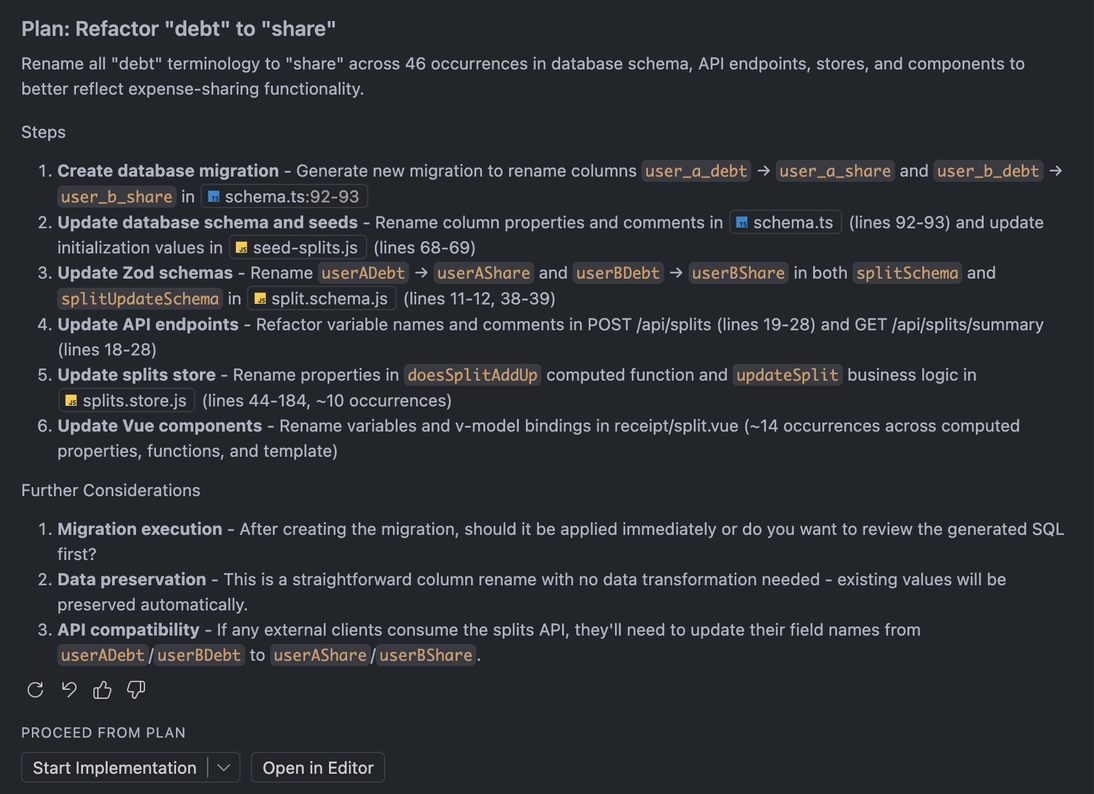
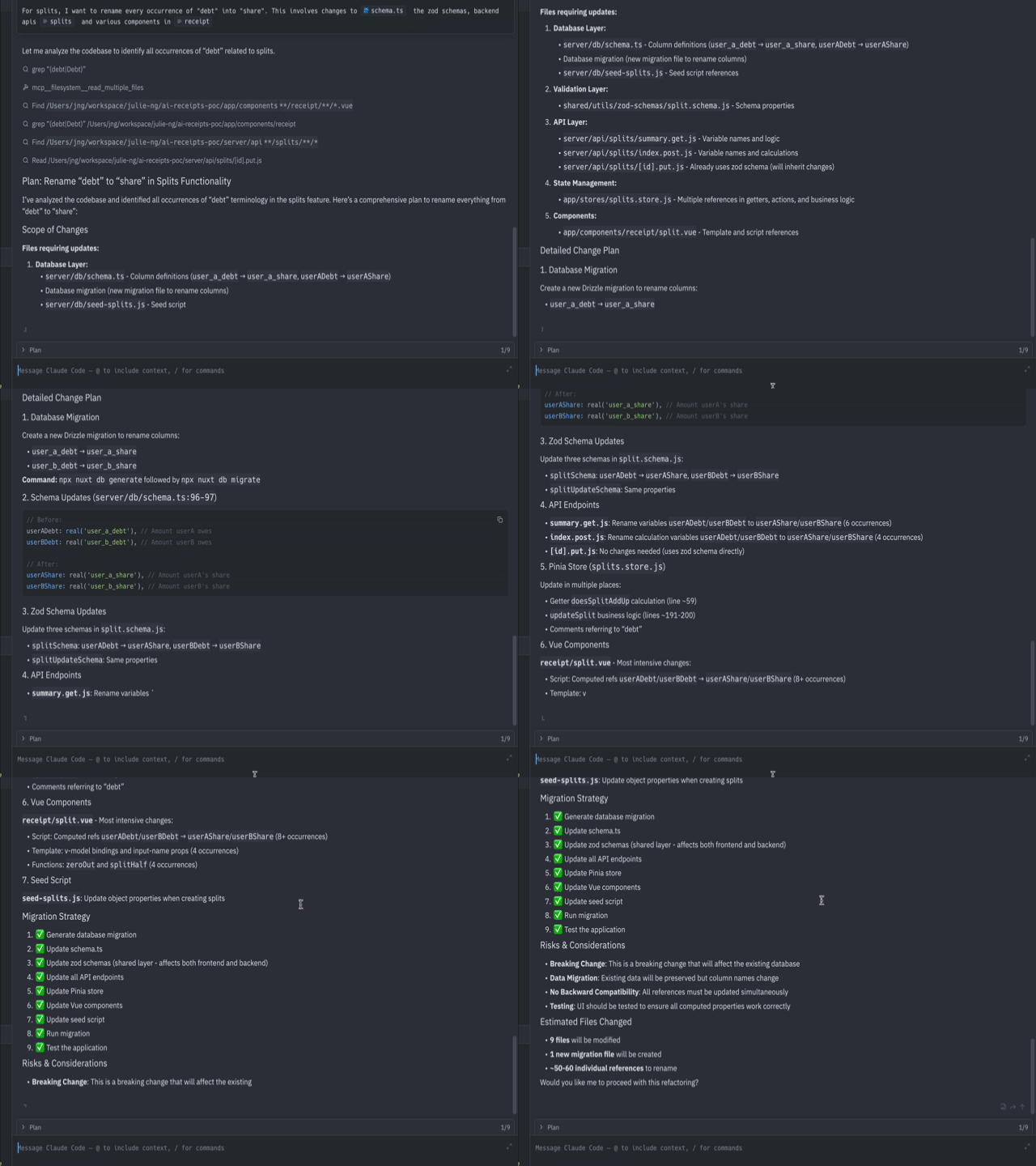
To be fair to Copilot, I would have been faster if I trusted it more. But it's hard for me to trust a black box.
Code Change Previews
To better illustrate the productivity impact of the UI differences in how code changes are previewed, I've selected other examples from different coding sessions.
Copilot uses inline comments
Copilot uses comments to indicate where code changes were being made. This is a poor developer experience because there's extra cognitive load on the developer to figure out the actual code diff on their own.
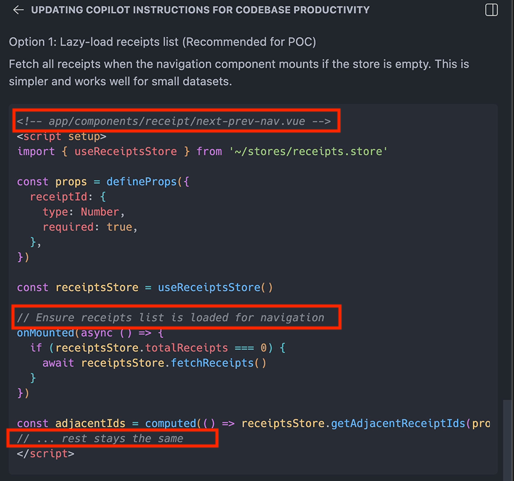
There is a diff view… but in the IDE. The VS Code and Copilot workflow expects developers to review the changes in the IDE. When you open a file that's changed, the diff view includes 2 buttons to "keep" or "undo" the changes made by AI.
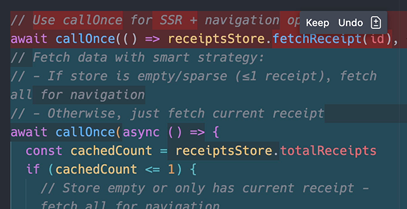
I couldn't get used to the Copilot flow. Even though it showed the changes in the IDE, I found myself wondering, which file is that? Because all the changes happened at once, I found myself constantly going back to my terminal, running git status -s to see what it changed, and then git diff to review the changes.
I lost context of what was being changed. Ultimately, I felt like Copilot wanted to go off and do its own thing. And I was left with additional cognitive load to understand what it did and to clean up any slop.
Claude Code uses diffs
In contrast, the Claude Code agent panel shows code diffs, which is so familiar that it feels natural to view suggestions in this way. It feels collaborative, like a real-time code review. 👌
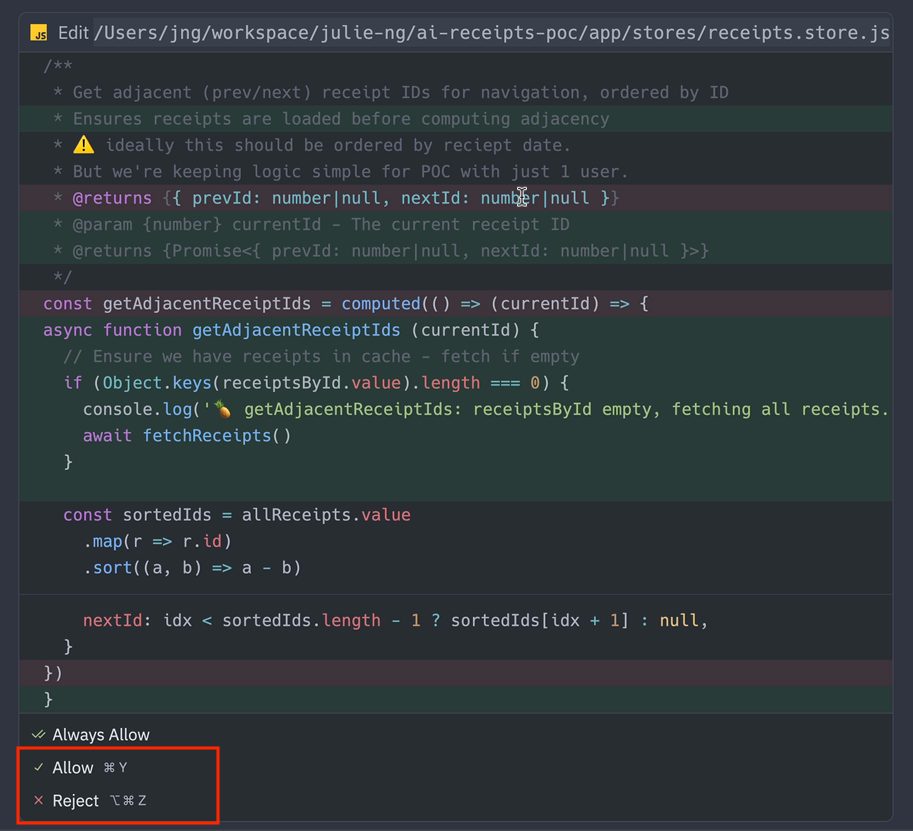
This was a game changer for me. The synchronous allow and reject prompts puts me back in the driver seat. Looking directly at git diff views, it feels like real pair programming. Because I was going step by step, it was like doing the code review live - which made merges back into the main branch much easier.
To be fair to Copilot, Claude Code also generates slop. The difference is that in a slower synchronous workflow, I can spot it faster and stop Claude a few steps in. Stop the slop before it gets out of hand.
Why I'm 2x faster with Claude
To be fair, if I didn't force Copilot to output the code changes, the productivity gap would not have been so large. But it's also not that simple. This was a trivial re-factor and I still had to concentrate to follow the agent. Losing concentration and context was worse when working on more complex functionality or debugging. I had to rely on my git command line skills for 100% clarity on code changes. The extra cognitive load exceeded any productivity gains I might have had.
Surely, there has to be a better way?
There is. Eventually, I realized both coding agents have two completely different philosophical approaches.
Copilot is another coder
Copilot is like having another colleague… one who needs to be managed. We've all experienced that project where one team member is brilliant, but slows everyone down because they're doing their own thing.
Copilot is even talking about me behind my back 😂 It calls me "the user" when it's "thinking"… all of which is just visual noise. Thankfully, I eventually found the option to disable "thinking" mode.
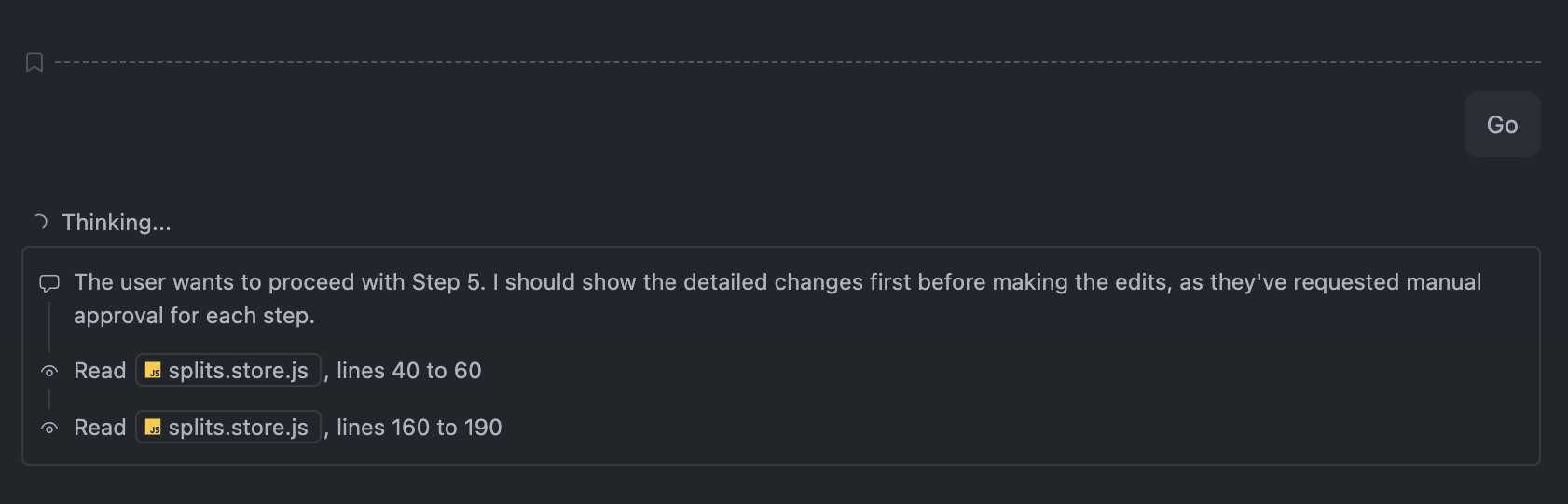
And this is the problem I have with Copilot. It's too autonomous, increasing my cognitive load. And unchecked, it left slop for me to clean up.
Claude Code is me
On the other hand, Claude Code is not another coder. It's me. Because our interactions are more frequent and shorter, it often felt like I was talking to myself, walking through implementation details or debugging steps.
In a weird way, the slower approve and reject workflow made Claude Code kind of disappear into the background. It felt less and less like a separate entity whose work I had to check. I was just refining my own ideas. The iterative nature of the refinement also made Claude Code kinda disappear… we meshed into one.
I first understood that Claude Code is me when I started experiencing flow state again. Completely focused on the code, I forgot to eat lunch — and by the time I noticed, the cafeteria was long closed. It had been months, maybe a year, since I'd felt that way after burning out. Hungry, but happy. In that paradox, I finally understood what I'd been missing — and what AI, used right, can give back to developers: not just productivity, but the joy of the work itself. That's when I stopped being a skeptic, and started believing the industry might figure this out too.